Agent 工具怎麼分:身分、操作介面、部署位置
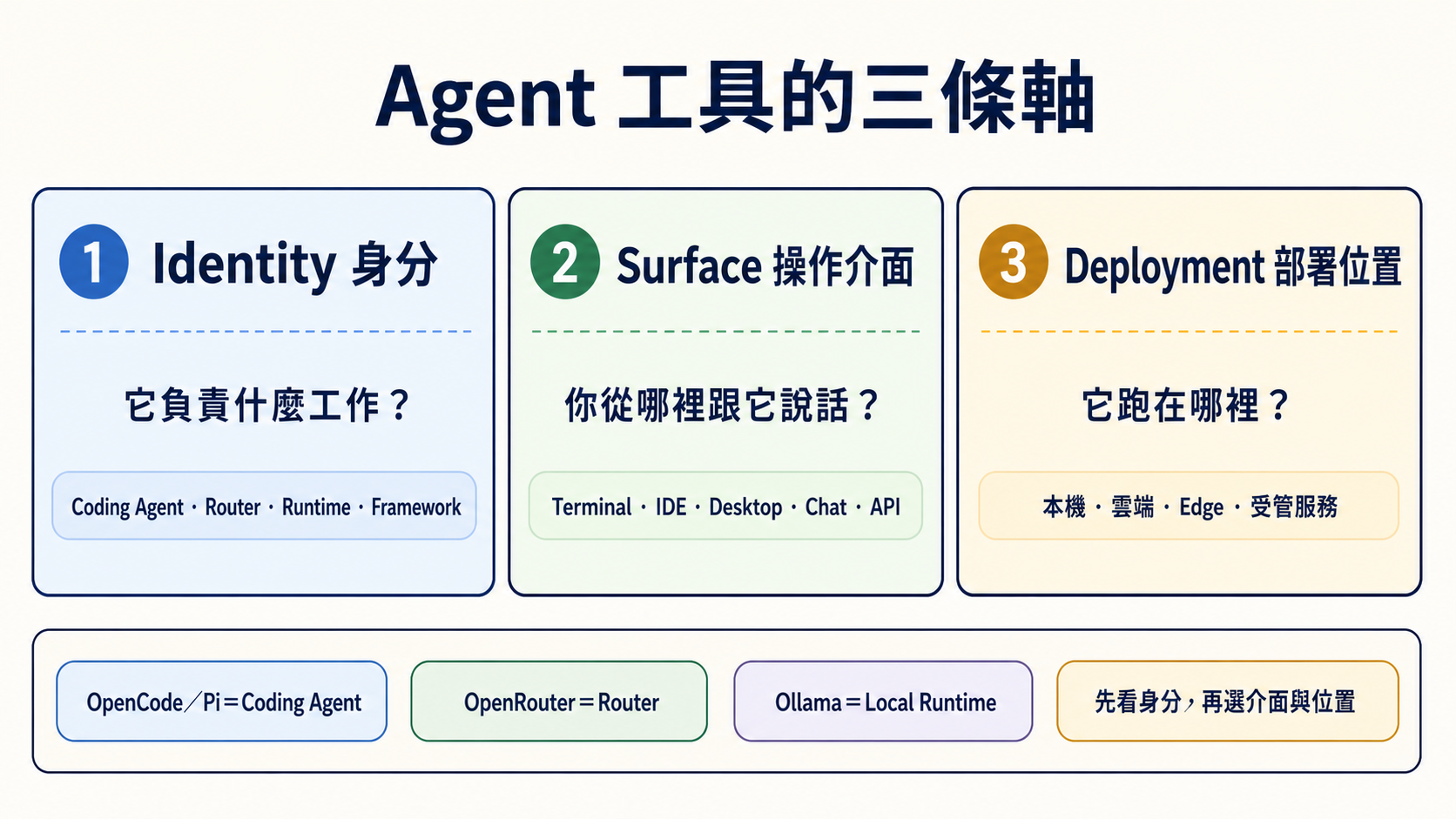
同一個工具可以出現在 Terminal、IDE 和 Desktop,也可以接本機或雲端模型。所以不要硬把工具塞進五個互斥「型態」。先問三個問題,會比較不容易混亂。
📌 先分清三條軸
| 軸 | 五歲也能懂的說法 | 正確問題 |
|---|---|---|
| Identity(身分) | 這個東西的工作是什麼? | 它是 Coding Agent、Router、Local Runtime、Framework,還是 Chat Gateway? |
| Surface(操作介面) | 你從哪扇門跟它說話? | Terminal、IDE、Desktop、Web、Chat app 或 API? |
| Deployment(部署位置) | 它的身體放在哪裡? | 你的電腦、雲端主機、邊緣裝置,還是受管服務? |
一個產品可以同時有很多 Surface,也可以換 Deployment。這不會改變它的主要 Identity。
🎯 你會學會什麼
- 分清 OpenCode、Pi、OpenRouter 與 Ollama,不再把它們當同一類。
- 先選工作身分,再選介面與部署位置。
- 知道「本機」「開源」「有 permission prompt」都不等於安全保證。
- 把 Subagent 當成執行方式,不當成第六種產品。
🧩 身分:它到底負責什麼
| 核心詞 | 白話定義 | 例子 | 它不負責什麼 |
|---|---|---|---|
| Coding Agent/Harness(程式代理/工作台) | 能在允許範圍內讀檔、改檔、跑命令,再回來報告 | Claude Code、Codex、OpenCode、Pi、Aider、goose | 不一定包含模型、Router 或 Sandbox |
| Router(路由器) | 把模型請求轉送到不同 Provider | OpenRouter | 不會自己改 repo,也不管理檔案權限 |
| Local Runtime(本機模型引擎) | 在自己的電腦載入並執行模型 | Ollama、vLLM | 不會自己理解任務或操作工作目錄 |
| Agent Framework(代理框架) | 給開發者寫狀態、步驟、Handoff 與 Workflow 的工具箱 | LangGraph、CrewAI、Microsoft Agent Framework | 不是裝好就會替你完成工作的成品 Agent |
| Chat Gateway(聊天入口) | 把 Agent 接到 Telegram、Slack 等訊息入口 | Hermes Agent 的 gateway/messaging 模式 | 不代表底層模型、權限與部署已安全 |
最短辨識法:誰跑模型?誰轉送請求?誰能碰檔案?誰安排多步驟?你從哪裡說話?
🧭 常見工具放在哪裡
| 工具 | 主要 Identity | 常見 Surface | 可用 Deployment | 初學者最容易搞錯的地方 |
|---|---|---|---|---|
| OpenCode | Coding Agent/Harness | Terminal、Desktop、IDE | OpenCode 程式在本機執行 | 連雲端 Provider 只會送出模型請求,不會把 OpenCode 程式搬到雲端;仍要選模型與 permission |
| Pi | Coding Agent/Harness | Terminal、SDK、RPC | 本機 | 這裡的 Pi 不是 Raspberry Pi;它沒有內建 Sandbox |
| OpenRouter | Router | API | 受管雲端服務 | 它不會自己讀檔或執行命令 |
| Ollama | Local Runtime | CLI、API | 本機、自己的伺服器 | 它不是 Coding Agent;要由 Client/Agent 呼叫 |
| Aider | Coding Agent/pair programmer | Terminal | 本機 | Git auto-commit/--no-verify 行為要先看清楚 |
| goose | Coding/general Agent | CLI、Desktop、API | 本機 | Extension 的權限要分開審查 |
| Hermes Agent | Agent runtime+Chat Gateway | CLI、Messaging | 本機或自己的主機 | Chat 入口不等於 24/7、安全或零維護 |
| OpenClaw | 可自架的 Agent/assistant 平台 | Web、Chat、CLI,依部署而定 | 本機、雲端或 edge | 在 edge 跑不代表沒有網路、工具或資料外流風險 |
📚 必讀閱讀
- CLI Agents 指南:比較登入、Provider、Sandbox、project rules 與權限。
- Stage 4:Workflow Graph 與 Agent 框架:學 Framework 與 Workflow Graph。
- Stage 5:Claude Code 生態:學 Skills、MCP、Hooks 與 Subagents。
- Stage 7:Agent Production Engineering:學 Harness、Loop、Graph、跨系統 Eval 與上線邊界。
🪜 三步選擇法
- 先選 Identity:要改 repo 就選 Coding Agent;只想轉接模型就選 Router;要在本機跑模型就選 Local Runtime;要自己寫 Workflow 才選 Framework。
- 再選 Surface:眼睛一直看程式就偏 IDE;需要命令、Git 與長任務就偏 Terminal;需要手機訊息入口才考慮 Chat Gateway。
- 最後選 Deployment:先從可復原的 demo repo 與最小權限開始,再決定本機、雲端或 edge。部署位置不會自動消除風險。
展開四個生活情境與安全邊界
寫一個小功能
選一個 Coding Agent/Harness,在 demo branch 內要求它先說計畫、再改一個檔、跑測試並顯示 diff。模型可以來自 Provider API,也可以由 Ollama 在本機執行。
用一個 API key 試不同 Provider
Coding Agent 仍負責檔案與命令;OpenRouter 只負責把模型請求轉送。兩者的帳單、資料政策與權限要分開看。
手機收到例行整理
Hermes Agent 這類工具可以接 Messaging Gateway。你仍要處理主機更新、密鑰、允許的工具、失敗重試與訊息平台權限。
在 edge 裝置處理敏感資料
本機模型可以減少把 Prompt 送到外部 Provider 的需要,但 Agent 若能連網、呼叫工具或讀其他資料夾,仍可能把資料帶出去。要用防火牆、容器/VM、最小權限、假資料測試與人工覆核。
Subagent — 「在 agent runtime 裡再 spawn agent」
Subagent(子代理) 是主 Agent 把一小塊任務交給另一個隔離工作者。它回答的是「工作怎麼分」,不是「產品跑在哪裡」。
| 路徑 | 誰負責建立子代理 | 適合什麼 |
|---|---|---|
| Framework-based | 你的 Python/TypeScript orchestration 程式 | 要自己控制狀態、Provider、Handoff 與 Workflow |
| Coding-Agent native | Claude Code、Codex 等 Agent runtime | 在同一個 repo 內,把研究、實作或審查拆成小任務 |
不論哪條路,都要給子代理明確範圍、輸出格式、預算、停止條件與驗證方式。主代理仍要讀結果;「用了多個 Agent」不是正確性的證明。
延伸:Stage 5 的 Subagents與可直接複製的 Subagent Cookbook。
🎯 精選 Projects 與學習資源
星星是本學習地圖的閱讀優先度,不是 GitHub stars,也不是工具總排名。
| 分類 | Project/資源 | 用它學什麼 | 限制 | 評分 |
|---|---|---|---|---|
| Coding Agent/Harness | anomalyco/opencode | Provider 切換、rules、Skills 與 permission | 模型與 Sandbox 仍要另外選 | ⭐⭐⭐⭐⭐ |
| earendil-works/pi | 小核心、extensions、SDK 與 RPC | 沒有內建 Sandbox | ⭐⭐⭐⭐ | |
| Aider-AI/aider | Git diff、commit 與 undo 工作流 | 先確認 auto-commit 與 hook 設定 | ⭐⭐⭐⭐⭐ | |
| aaif-goose/goose | CLI、Desktop、Provider 與 extensions | 先開最小 extension 權限 | ⭐⭐⭐⭐ | |
| continuedev/continue | IDE/CLI Surface 與 Agent mode | 不同 Surface 的權限要分開看 | ⭐⭐⭐⭐ | |
| Router/Runtime | OpenRouter 官方文件 | Router、Provider routing 與 usage | 不是 Coding Agent | ⭐⭐⭐⭐ |
| ollama/ollama | 本機模型下載與相容 API | 不是 Coding Agent | ⭐⭐⭐⭐⭐ | |
| Messaging/自架 | NousResearch/hermes-agent | Agent runtime、Messaging Gateway 與排程 | 自架仍要維運與收斂工具權限 | ⭐⭐⭐⭐ |
| openclaw/openclaw | 本機/edge/自架 assistant 的部署取捨 | 本機不等於零資料風險 | ⭐⭐⭐ | |
| Framework/Workflow | langchain-ai/langgraph | 狀態、節點、邊、Checkpoint 與 Human-in-the-loop | 需要自己寫與測 Workflow | ⭐⭐⭐⭐⭐ |
| crewAIInc/crewAI | 角色、Task 與 Crew orchestration | 角色描述不能取代驗證 | ⭐⭐⭐⭐ | |
| microsoft/agent-framework | Microsoft 現行 Agent/Workflow 開發路徑 | 舊 AutoGen/Swarm 教材只作歷史脈絡 | ⭐⭐⭐⭐ |
✅ 完成檢查
- 我能用一句話說出 Coding Agent、Router、Local Runtime 與 Framework 的差別。
- 我不會把 OpenRouter 當成 Agent,也不會把 Ollama 當成會改檔的工具。
- 我知道 OpenCode/Pi 的 Provider、模型、Surface 與 Sandbox 要分開確認。
- 我選工具時先看 Identity,再看 Surface 與 Deployment。
- 我知道本機、edge、開源與 permission prompt 都不是安全保證。
工具身分、官方入口、專案狀態與授權查核:2026-08-30 UTC。